Compose and arrange
Create songs from tracks, place clips on the timeline, define loop regions, duplicate ideas, edit time, and shape arrangements without leaving the main workflow.

A macOS digital audio workstation with a streamlined workflow for arranging audio and MIDI clips, hosting Audio Unit instruments and effects, editing notes, exploring generative musical ideas, automating parameters, mixing tracks, and exporting finished audio. It can also serve as a generative MIDI source, sending its generated notes to your favorite DAW for use with your existing instruments and production workflow.
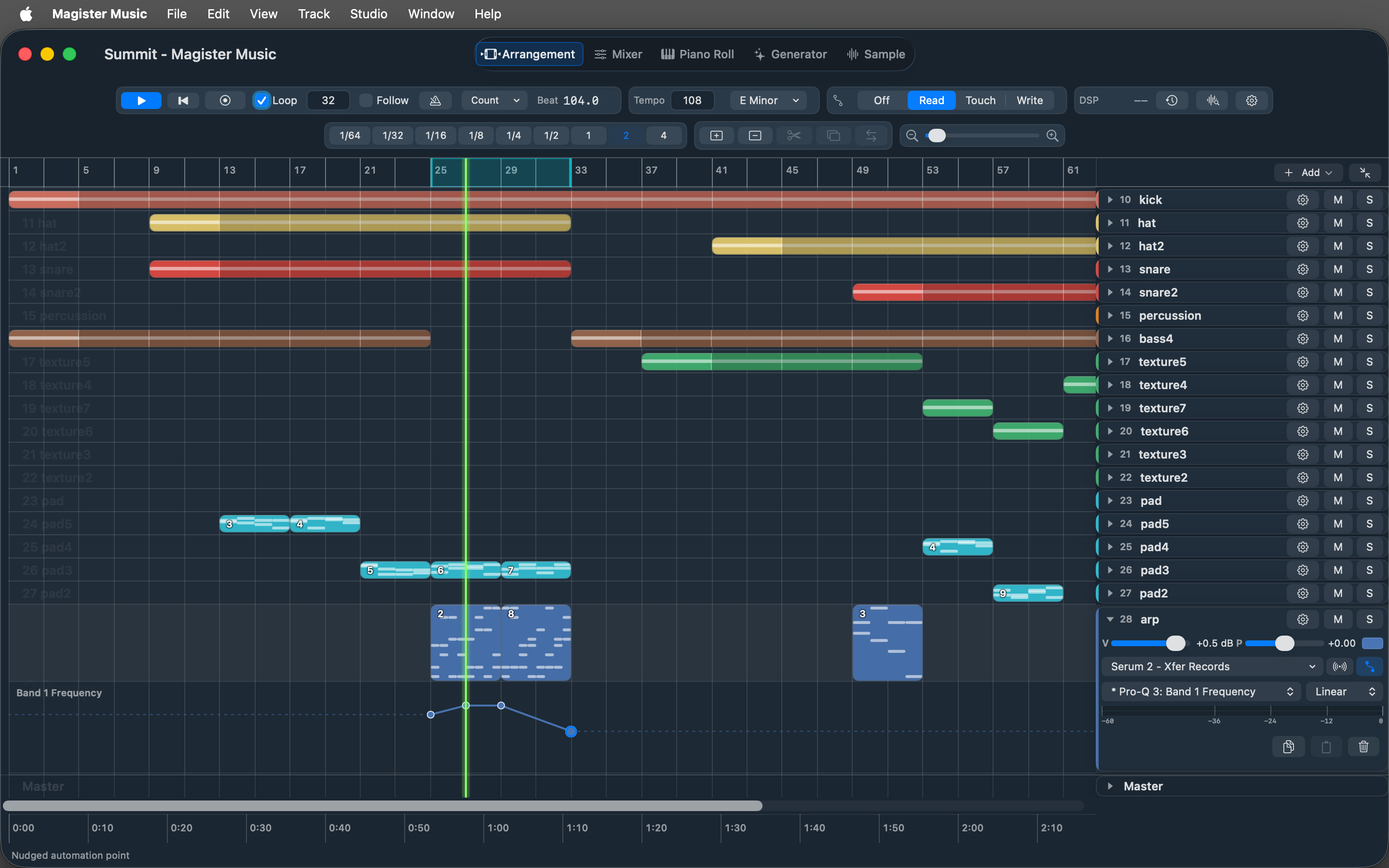
Magister Music is built around fast arrangement, MIDI editing, Audio Unit hosting, and generative composition tools.
Magister Music brings the core pieces of a production environment into a direct, native Mac interface designed for rapid creative iteration.
Create songs from tracks, place clips on the timeline, define loop regions, duplicate ideas, edit time, and shape arrangements without leaving the main workflow.
MIDI tracks can host Audio Unit instruments, while tracks and the master channel can use effect plug-ins for sound design, mixing, and final polish.
The Generator view helps create and reshape MIDI patterns by controlling model, length, pattern type, octave, variation, velocity, timing, and musical tendency.
Each view is built around a specific part of the music-making process, from timeline structure to detailed audio and MIDI work.
Magister Music includes a curated set of built-in instruments and effects that cover the essentials out of the box. For a broader sonic palette, you will likely want to supply your own Audio Unit (AU) instruments and effects, which the app hosts natively.

Transform notes non-destructively, in chain order, before they reach the instrument.
Apollo combines an eleven-slot sample kit, a hands-on step sequencer, and a role-aware pattern generator in one built-in instrument.
Magister Music supports the practical production path: start a song, add audio or MIDI tracks, load instruments, edit notes, automate movement, mix levels, and export WAV, M4A, or MP3 files.
These tracks were created entirely in Magister Music. Its generative tools shaped the leads, pads, arps, and textures, while every stage of song arrangement, mixing, and export was completed exclusively in the app.
Magister Music can integrate with your existing production setup as a generative MIDI source. Its virtual Magister Notes MIDI output sends notes from the Generator view to another application, allowing your preferred DAW to receive them and play them through any instrument in your existing collection.
This mode allows you to use the generative features of Magister Music to produce notes in your favorite DAW. Choose a model, pattern, and sequence length, then shape the musical result through controls for pitch, octave, chord size, rhythm, note length, velocity, timing, and variation. You can generate new ideas, preserve a rhythm while exploring different pitches, or keep the pitches and create a new rhythm.
The Magister Sync MIDI clock input can synchronize Magister Music with an external application or device. With your DAW providing the clock and receiving notes from Magister Notes, you can audition Magister Music's generated patterns through your own instruments and record the resulting MIDI directly into your usual workflow.
Explore the complete product guide for setup, production workflows, instruments, effects, shortcuts, exporting, and more.